Classic Checkers Board Game
TAP TO PLAY

Classic Checkers Board Game

Strategy
Developer: Robot Current Labs
Published: 2024-06-15
Updated: 2026-07-04

Reviews

Classic Checkers delivers the timeless board game experience without unnecessary distractions. The clean interface and smooth drag-and-drop controls make it easy to play. The undo move option is a thoughtful addition for learning from mistakes. While it lacks a single-player mode, the two-player local matches are perfect for casual play with friends or family.

Description

Game Introduction

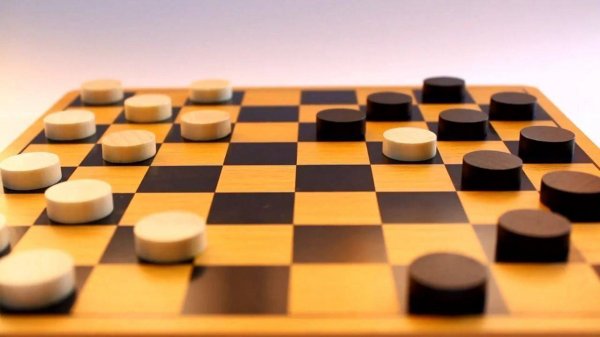
Classic Checkers, also known as Draughts, is a timeless strategy game played on an 8x8 checkered board. Two players compete with 12 pieces each, moving diagonally forward to capture the opponent's pieces. The game ends when one player captures all opposing pieces or blocks them from moving. This digital version brings the classic experience to your screen with a clean interface and smooth gameplay, suitable for players of all ages seeking a mental challenge.

How to Play

To play, each player starts with 12 pieces on the dark squares of the first three rows. Pieces move diagonally forward one square to an empty dark square. To capture, jump over an adjacent opponent's piece to an empty square beyond. If multiple captures are possible in a single turn, you must continue jumping. When a piece reaches the far side, it becomes a King, able to move and jump both forward and backward. The goal is to capture all opponent pieces or leave them with no legal moves.

Game Features

Features include: Classic draughts rules with no variations. Intuitive drag-and-drop controls for easy play. Undo move option to reconsider strategy. Two-player mode for local matches. Clean, distraction-free board design. Suitable for all ages and skill levels.

Tips for Success

Classic Checkers offers a satisfying mental workout without complex rules. Each game is a fresh puzzle of logic and foresight, making it perfect for quick breaks or longer sessions of thoughtful competition. Practice regularly to improve your strategic thinking and anticipate your opponent's moves.

Compatibility

✅ Works on PC & Mobile | Recommended: Chrome / Safari / Edge
Faq
Can I play Classic Checkers on my mobile phone?
Classic Checkers is designed to work on desktop and laptop computers. Mobile compatibility may vary depending on the platform. Check the game page for device-specific information.
Is there a timer or time limit in Classic Checkers?
Classic Checkers does not include a timer by default. Players can take as much time as they need to consider their moves, making it suitable for relaxed play.
Does Classic Checkers have a single-player mode against a computer opponent?
Classic Checkers is primarily designed for two-player local matches. A single-player mode against a computer opponent is not mentioned in the game description.
How do I undo a move in Classic Checkers?
Classic Checkers includes an undo move option. Simply click or tap the undo button to reverse your last move and reconsider your strategy.
What happens if a player cannot move any pieces in Classic Checkers?
If a player has no legal moves available, the game ends and that player loses. This is a standard rule in checkers.
Are there different board sizes or variations in Classic Checkers?
Classic Checkers uses the standard 8x8 board and classic draughts rules. No variations or alternative board sizes are mentioned.
Advertisement