
Pixel World Constructor
Reviews
Pixel World Constructor delivers a genuinely relaxing building experience. The block variety allows for impressive landscape detail, and the rotatable ramp blocks are a smart addition for shaping terrain. The camera controls give full viewing freedom, which helps when fine-tuning builds. It is a solid choice for anyone wanting a low-pressure creative outlet online.
About this game
Creative Sandbox Fundamentals
Pixel World Constructor places players in an open environment where the primary activity is placing and arranging blocks to form terrain and structures. The game removes typical pressures like timers or scoring systems, allowing users to focus entirely on their own creative projects. This approach makes it suitable for both younger players exploring digital construction and adults seeking a relaxing pastime.
Block Library and Materials
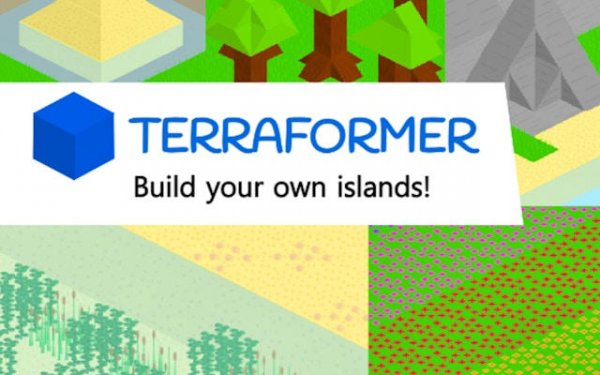
The game provides a selection of block types that mimic natural and constructed materials. Users can choose from options representing grass, dirt, stone, sand, clay, wood, leaves, flowers, and water. This variety enables the creation of diverse scenes, from grassy hills with ponds to rocky cliffs with forested areas. Each block type has a distinct visual style, contributing to the overall pixelated aesthetic.
Terrain Shaping Tools
Beyond simple block placement, the editor includes rotatable ramp blocks that help create smooth transitions between different terrain heights. This feature allows for more natural-looking landscapes, such as gentle slopes or stepped hillsides. Players can layer materials to build up terrain or carve out spaces, giving them control over the shape and flow of their digital world.
Viewing and Navigation
A dynamic camera system lets players rotate and zoom around their creations from any angle. This functionality is important for checking details, ensuring symmetry, or simply appreciating the overall composition from a new perspective. The controls are designed to be responsive, making navigation feel fluid as the world expands.
Accessibility and Platform
Pixel World Constructor runs directly in a web browser, requiring no software downloads or installations. It works on various devices, including touchscreen tablets and phones, as the building interface does not rely on a physical keyboard. This broad accessibility means players can start creating on almost any internet-connected device without setup delays.






Comments
0 comments