
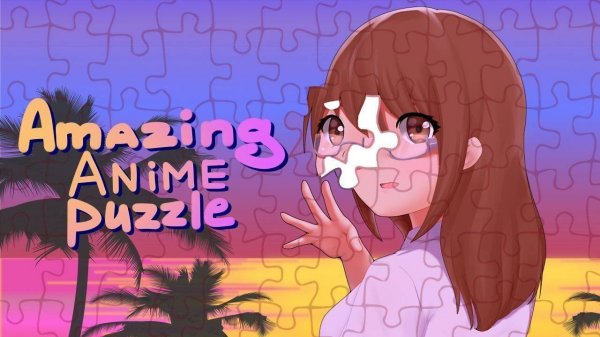
Picture Assembly Anime Puzzles
Reviews
This puzzle game succeeds by focusing on what matters: a solid selection of attractive anime images and a simple, responsive interface. The ability to adjust piece count means the same picture can serve as a quick diversion or a longer challenge. Controls are smooth on both desktop and mobile devices. The lack of timers or scoring removes any sense of urgency, allowing players to work at their own pace. For anyone seeking a quiet, visually pleasant activity, this game delivers exactly what it promises.
About this game
Core Assembly Mechanics
Players select a piece from a side panel and drag it onto the main board. The game provides a reference image to guide placement. This straightforward interaction works equally well with mouse or touch input, making it accessible on both computers and tablets. The lack of a timer means each piece can be placed with care.
Artwork Selection
The image library focuses on anime-style illustrations, including both character portraits and landscape scenes. Each picture is divided into a grid of pieces that must be correctly positioned. The variety ensures that players can find subjects that appeal to their personal taste, from calm nature views to detailed character designs.
Difficulty Customization
Before starting, players choose how many pieces the puzzle will contain. Fewer pieces create a quick, simple challenge ideal for younger players or those new to the genre. Higher piece counts demand more patience and spatial reasoning, offering a longer session for experienced puzzle enthusiasts. This flexibility allows the same image to be enjoyed at different skill levels.
Visual Presentation
The artwork uses bright colors and clear lines typical of anime style. Each piece is a distinct shape that fits uniquely into the overall picture. The clean interface keeps the focus on the image being assembled, with minimal distractions. This design choice supports the relaxing nature of the activity.
Session Flow
A typical session begins by browsing the image gallery and selecting a picture. After choosing a difficulty level, the pieces appear on the side panel. The player then drags pieces onto the board, using the preview image as a reference. Progress is visible as more of the picture becomes complete. The game ends when the final piece is placed.
Accessibility Considerations
Controls are designed to be intuitive, requiring only drag-and-drop actions. The interface adapts to different screen sizes without losing functionality. No reading is required to understand the basic mechanics, making the game accessible to non-readers and those who prefer visual instructions. The entire experience remains free from advertisements that interrupt gameplay.




Comments
0 comments